iTop-br-power-infrastructure
Copyright (c) 2026 Björn Rudner

What?
iTop-br-power-infrastructure is an extension for iTop that enhances the native CMDB data model for documenting and managing electrical power infrastructure components.
It extends the native iTop power model and introduces additional classes, attributes, synchronization logic, and generic topology links for documenting power supply paths in environments such as data centers, server rooms, technical facilities, and related infrastructure areas.
Features
- Extends the native iTop power infrastructure model
- Adds generic electrical and maintenance-related attributes to existing power classes
-
Introduces dedicated classes for:
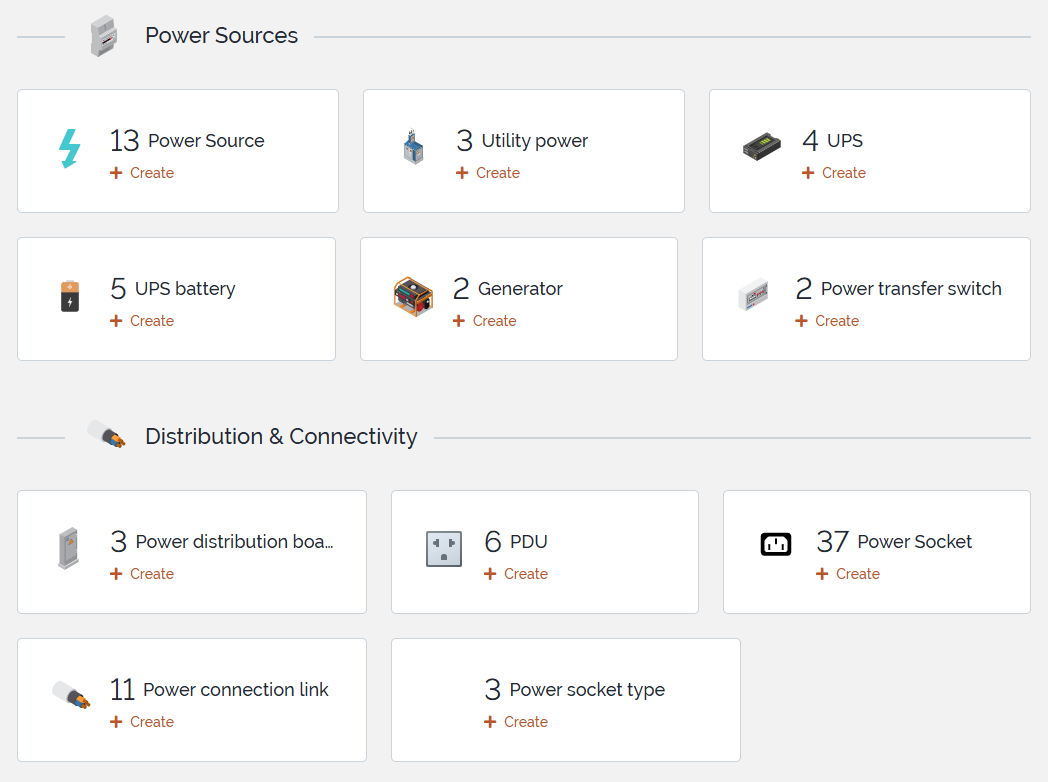
UtilityPowerUPSUPSBatteryPowerGeneratorPowerTransferSwitchPowerDistributionBoardPowerSocketTypePowerSocket
- Introduces
lnkPowerConnectionToPowerConnectionfor generic directional topology modeling betweenPowerConnectionobjects - Extends
PDUwith dedicated power socket handling - Supports Power A / Power B assignment for
DatacenterDeviceobjects - Includes synchronization logic between
PowerSocket,PDU, andDatacenterDevice - Supports both legacy native power relations and the preferred generic topology model
Main Classes
The extension builds on the following native iTop classes:
PowerConnectionPowerSourcePDUDatacenterDevice
The extension introduces the following additional classes:
UtilityPowerUPSUPSBatteryPowerGeneratorPowerTransferSwitchPowerDistributionBoardPowerSocketTypePowerSocketlnkPowerConnectionToPowerConnection
Preferred Topology Model
The preferred way to model power flow in this extension is the generic link model:
lnkPowerConnectionToPowerConnection
This allows directional relationships between PowerConnection objects, for example:
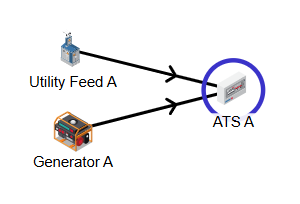
- utility feed → transfer switch
- generator → transfer switch
- transfer switch → UPS
- UPS → distribution board
- distribution board → PDU
Recommended role usage:
- use
downstreamas the standard generic source-to-target role - use
primary_inputandsecondary_inputfor transfer switch input modeling
The native iTop PowerSource → PDU relation remains supported for compatibility.
Example Topology
graph TD
    UtilityPower[UtilityPower]
    Generator[PowerGenerator]
    TransferSwitch[PowerTransferSwitch]
    UPS[UPS]
    DistributionBoard[PowerDistributionBoard]
    PDU[PDU]
    Socket[PowerSocket]
    Device[DatacenterDevice]

    UtilityPower -->|primary_input| TransferSwitch
    Generator -->|secondary_input| TransferSwitch
    TransferSwitch -->|downstream| UPS
    UPS -->|downstream| DistributionBoard
    DistributionBoard -->|downstream| PDU
    PDU --> Socket
    Socket --> Device
Installation
-
Clone or copy this extension into your iTop
extensionsdirectory:extensions/iTop-br-power-infrastructure -
Make sure the extension files are placed in the correct module directory structure.
-
Run the iTop setup or upgrade process.
-
Apply the data model changes and complete the update.
Optional bridge modules
This repository also includes optional bridge modules that optimize the PDU presentation layout when specific third-party extensions are installed.
br-power-infrastructure-bridge-for-datacenter-viewbr-power-infrastructure-bridge-for-datacenter-view-extendedbr-power-infrastructure-bridge-for-teemip-ip-mgmt
These bridge modules do not introduce new business classes; they only adapt field placement in the PDU detail view to keep UI sections aligned with the corresponding companion extensions.
Upgrade Notes for Version 2.0.0
Version 2.0.0 further establishes the generic link model lnkPowerConnectionToPowerConnection as the preferred way to document directional relationships between PowerConnection objects.
During upgrade:
- existing legacy
PDU.powerstart_idrelations are imported into the generic link model with roledownstream - existing generic links using the role
outputare migrated todownstream - duplicate
downstreamlinks are not created
The legacy powerstart_id field is not removed during upgrade.
Documentation
A more detailed guide covering modeling principles, class usage, topology design, screenshots, demo data, and migration behavior is available here:
Screenshots
Power Infrastructure Overview
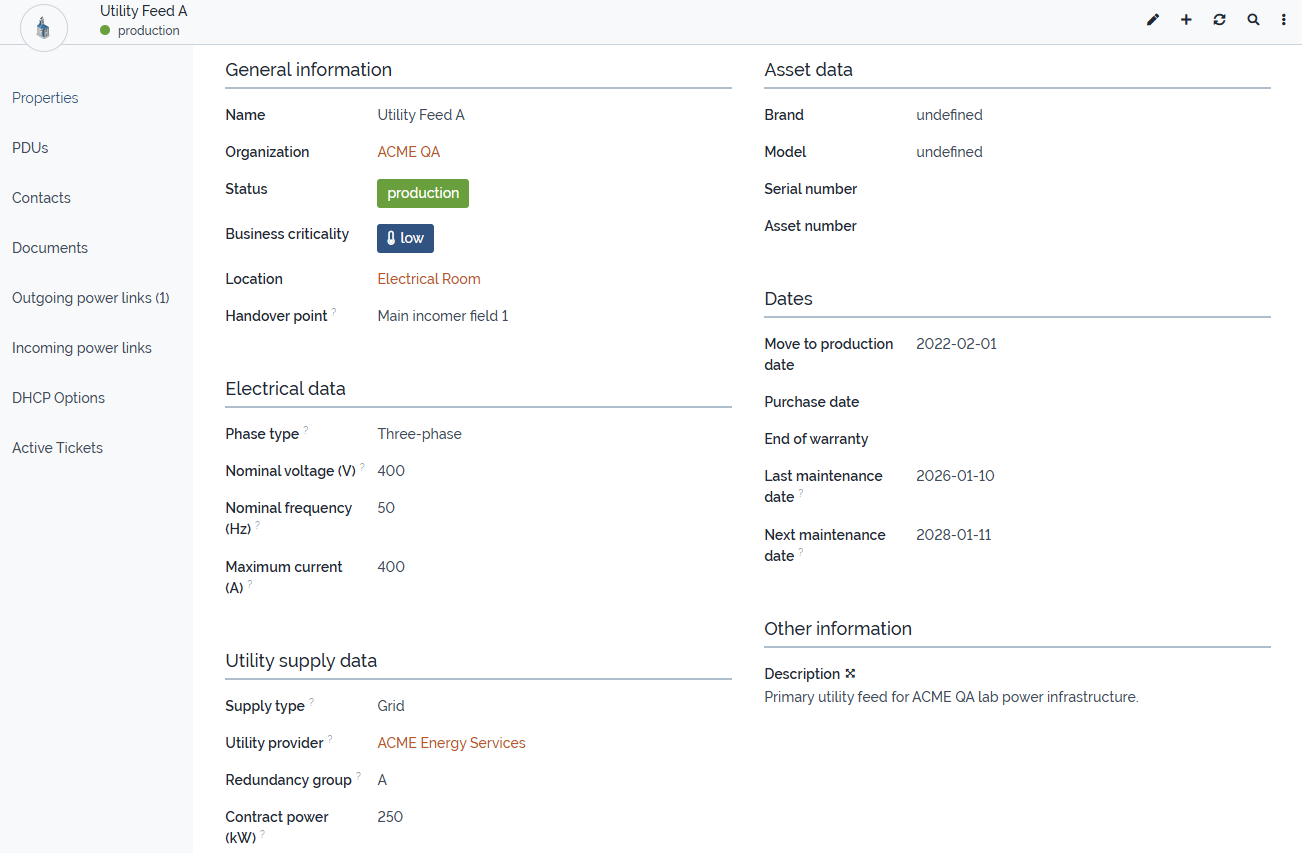
Utility Power
Transfer Switch Relations
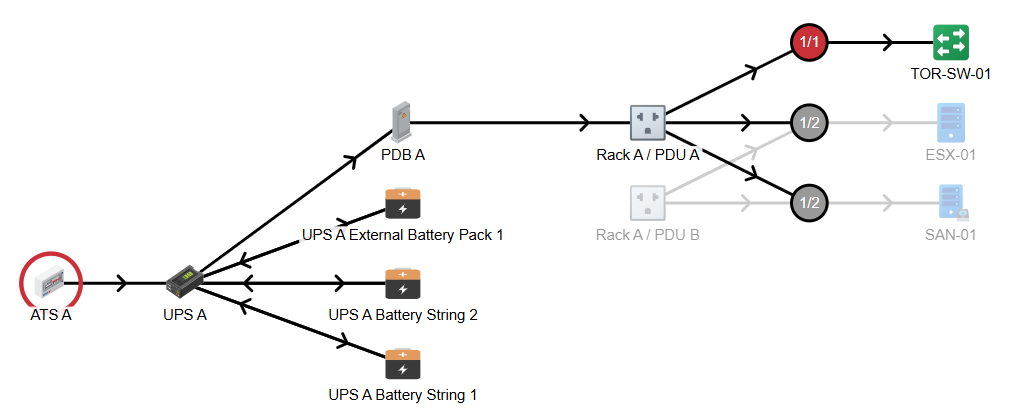
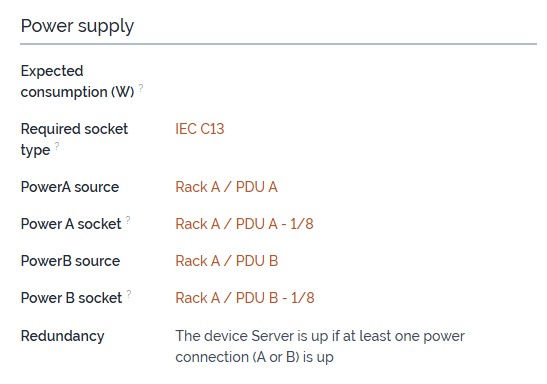
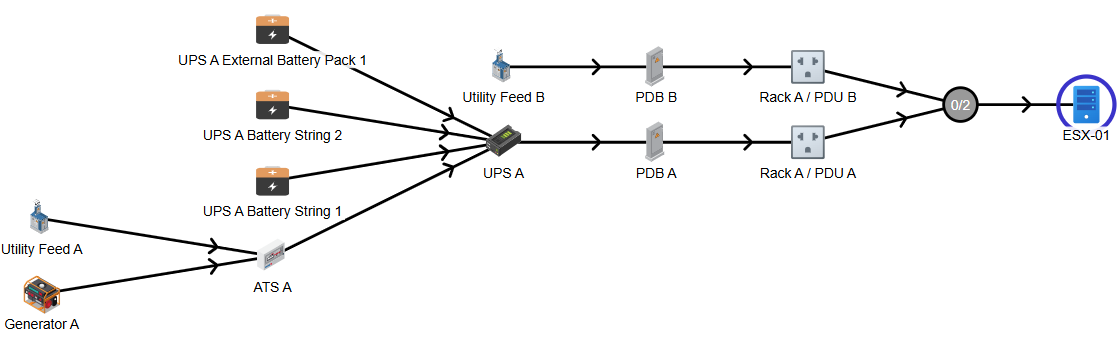
Redundant Device Power Assignment
iTop Compatibility
The extension was tested on:
- iTop
3.2.2
Core module dependencies:
itop-config-mgmt/3.2.0itop-datacenter-mgmt/3.2.0itop-virtualization-mgmt/3.2.0itop-storage-mgmt/3.2.0
Optional bridge dependencies are only required when using the related companion extensions.
Attribution
This extension uses icons from:
 by Arthur Shlain from https://thenounproject.com/browse/icons/term/power-connector/